Summary
Samsung One UI 9 Motion Photo wallpaper supported devices are limited for now, which is the part many Galaxy owners won't love. The new option lets you turn a Motion Photo into an animated wallpaper for your home screen, lock screen, or both. But installing One UI 9 alone doesn't guarantee you'll see it.
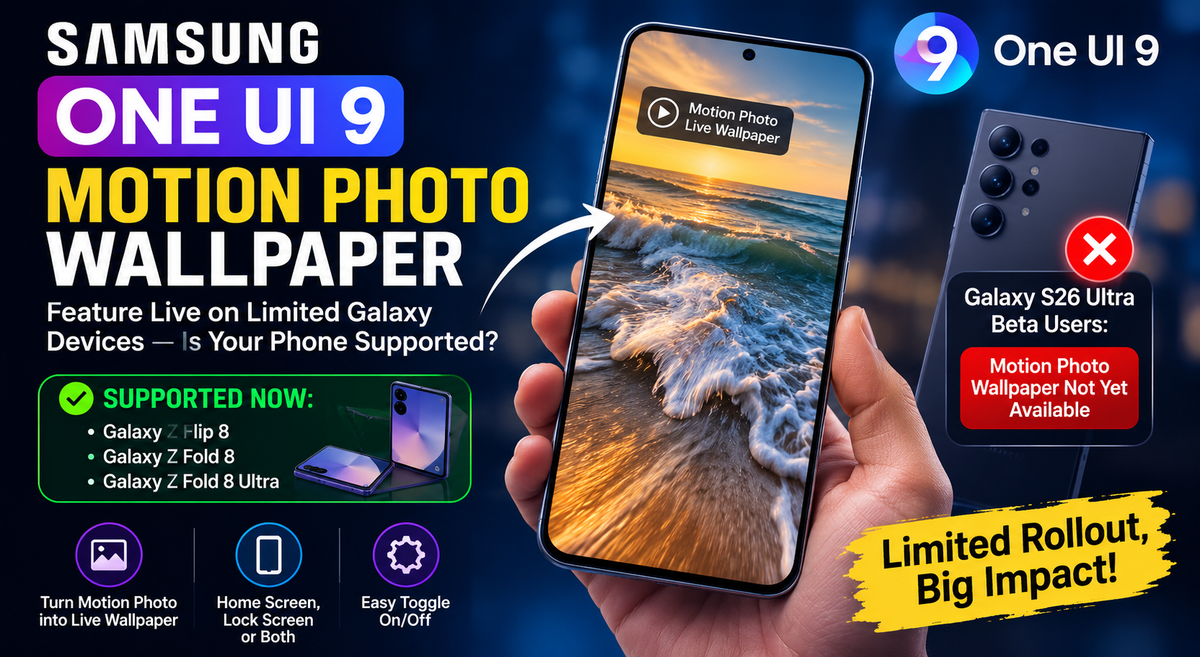
At the moment, Samsung's newest foldables are the only confirmed models with the feature. Galaxy S26 Ultra beta users, oddly enough, may not have it yet.
That gap matters.
Key Points
- Motion Photo wallpapers are currently confirmed on Galaxy Z Flip 8, Z Fold 8 and Z Fold 8 Ultra.
- Users can apply them to the home screen, lock screen, or both.
- The feature uses the short video clip already attached to a Samsung Motion Photo.
- Galaxy S26 Ultra beta users reportedly don't have the option yet.
- Samsung has not publicly explained the difference in availability.
- A Motion Photo must already exist; the feature doesn't turn a normal photo into an animated wallpaper.
- The option is available directly through the Samsung Gallery app, so no third-party wallpaper app is needed.
- Users can switch the animation on or off before applying the wallpaper.
- One UI 9 also improves wallpaper positioning on compatible foldable cover screens.
- Samsung has not confirmed support for older Galaxy phones yet.
- The feature could expand through a stable One UI 9 or Gallery update, but that remains unconfirmed.
What is a Samsung Motion Photo?
A Samsung Motion Photo captures a brief moment of movement before you press the shutter button. Your phone saves the final still image, plus a short video clip that lets you revisit the seconds surrounding it.
Originally, this was mostly useful for choosing a better frame. Someone blinked? A pet moved at the wrong moment? You could scrub through the clip and save the frame you actually wanted.
One UI 9 updates transform years old Motion Photo camera feature into dynamic wallpaper material. Instead of leaving that tiny clip inside Gallery, you can use it to add movement to a personal photo on your phone.
Think of it as a more personal alternative to a stock live wallpaper. Your coffee steam drifting upward, a friend laughing at dinner, waves moving across a beach shot - those small moments can now sit behind your icons or appear when you wake the display.
Samsung One UI 9 Motion Photo wallpaper supported devices right now
The confirmed Samsung One UI 9 Motion Photo wallpaper supported devices list is short:
- Galaxy Z Flip 8
- Galaxy Z Fold 8
- Galaxy Z Fold 8 Ultra
These phones launched with One UI 9 and currently offer the Motion Photo wallpaper option in the Gallery app. In other words, the Galaxy Z Fold 8 Motion Photo wallpaper feature and the Galaxy Z Flip 8 One UI 9 Motion Photo home screen option are not just promotional promises. They're available on those models.
That said, this isn't yet a full Samsung One UI 9 supported devices feature list. It's a feature-specific list. A phone can run One UI 9 and still be missing this setting.
The Galaxy S26 Ultra One UI 9 beta Motion Photo missing issue is the clearest example. Testing on One UI 9.0 Beta 5 reportedly found no Motion Photo wallpaper control on the S26 Ultra, and the feature hasn't broadly appeared on Galaxy S26 beta devices either.
It's a strange rollout. New foldables get the fun wallpaper trick first, while a top-tier Ultra model waits.
How to set Motion Photo as wallpaper One UI 9
If your Galaxy phone supports the option, the process is pleasantly familiar. You don't need a third-party wallpaper app or a complicated workaround.
- Open the Samsung Gallery app.
- Find a photo marked as a Motion Photo.
- Open the image and choose the wallpaper option.
- Select Home screen, Lock screen, or Home and lock screens.
- Review the live preview.
- Turn Motion Photo animation on or off using the dedicated toggle.
- Confirm your choice.
That's it.
The Samsung One UI 9 live wallpaper Gallery app toggle is particularly useful because it gives you control without forcing you to choose a different image. Like the framing but dislike the motion? Keep the photo and disable animation. Want the moving version back later? Turn it on again.
Can you use it on both the home and lock screen?
Yes, supported phones let you apply the same Motion Photo to the home screen, lock screen, or both.
Using it on the lock screen tends to make more visual sense. You see the animation when you wake the phone, then move into your apps without constant motion behind icons. But the home-screen setting can be nice too, especially with subtle clips that don't make your app grid feel busy.
The one real flaw is battery and distraction. A very active Motion Photo can look cluttered, and an animation behind widgets isn't always as charming as it sounds. Pick a calm clip. Sky, water, a small smile, city lights. You get the idea.
Samsung One UI 9 Motion Photo wallpaper supported devices and the S26 Ultra beta gap
Why is the Galaxy S26 Ultra missing a feature that already works on the Fold 8 and Flip 8? Samsung hasn't provided a public explanation.
It could be a beta limitation, a staged server-side enablement, or a feature Samsung plans to hold for the stable build. No confirmed answer exists yet. Reports only suggest that Galaxy S26 devices running the beta don't currently expose the setting.
Will Samsung release Motion Photo wallpaper support for Galaxy S26 in stable One UI 9? Possibly. Samsung has indicated that the broader One UI 9 experience will expand to more flagship models, though it hasn't named this wallpaper tool specifically.
So, don't treat the absence in Beta 5 as a permanent removal. But don't buy a Galaxy S26 Ultra expecting the feature today, either.
This measured rollout fits a wider pattern: Samsung often introduces visual features on a new hardware line before extending them elsewhere. Its software priorities also sit alongside much larger company projects, from Samsung's RX division to Samsung's chip outlook, so not every small feature gets a clear public roadmap.
How does the Motion Photo wallpaper feature work in Samsung Gallery?
The Samsung Gallery app Motion Photo animated background feature uses the short clip attached to a compatible image. It isn't turning every ordinary JPEG into a moving wallpaper. The photo must have been captured as a Motion Photo in the first place.
When you select it as wallpaper, Gallery shows how it will appear on the chosen screen. Then you can enable or disable the motion effect before applying it.
That distinction matters because Motion Photos and live wallpapers aren't quite the same thing:
- A Motion Photo is your camera image plus a short saved clip.
- A live wallpaper is a wallpaper format or effect designed to animate on your display.
- One UI 9 bridges the two by using the Motion Photo clip as a wallpaper animation.
Samsung One UI 9 lets you convert Motion Photos into animated lock screen wallpapers, but it doesn't mean all wallpaper animations work the same way. A preloaded live wallpaper may loop or react to touch, while a Motion Photo is built from a brief real moment you captured.
Other One UI 9 wallpaper changes worth knowing
Motion Photos aren't the only wallpaper-related change. One UI 9.0 lock screen wallpaper customization feature updates also include smarter positioning for cover-screen wallpapers on compatible foldables.
The software can automatically place the clock and widgets away from important parts of your photo, such as a face or subject. If it guesses badly, you can drag those elements yourself. Honestly, that's a small improvement with a big effect - especially on narrow cover displays where the clock can ruin an otherwise great image.
Samsung One UI 9 features preview: Motion Photo wallpapers, auto positioning, and cover screens all point in the same direction. More personal screens, fewer awkward compromises.
A future SmartThings redesign may also bring wallpapers that shift with the time of day, location-based backgrounds, and preloaded live options. That's separate from One UI 9, though. Don't expect a SmartThings update to unlock Motion Photo wallpaper support on an unsupported phone.
Samsung's mobile strategy has broader pressures behind it, including smartphone storage trends, mobile AI signals, and the ongoing AI smartphone evolution. Wallpaper tools may seem minor beside those shifts. For the person using the phone every day, they're not minor at all.
Will older Galaxy phones get Motion Photo wallpapers?
There's no official Samsung Motion Photo wallpaper update list for older Galaxy devices yet.
The capability could reach more devices through a stable One UI 9 update, a Gallery app update, or a later point release. It could also stay limited to newer hardware for a while. Samsung hasn't committed either way.
Older phones already support Motion Photos, so the barrier may be software policy rather than camera hardware. Still, that is only a reasonable inference, not confirmation. Samsung's semiconductor investment, including its Yongin fab expansion and wider Samsung's semiconductor plans, won't tell you when a wallpaper feature will reach your phone.
For now, check Gallery after each One UI update. That's the practical answer.
What Samsung One UI 9 Motion Photo wallpaper supported devices means for you
Samsung One UI 9 Motion Photo wallpaper supported devices currently include only the Galaxy Z Flip 8, Galaxy Z Fold 8, and Galaxy Z Fold 8 Ultra. If you own one, the feature is a simple, genuinely nice way to reuse photos that would otherwise sit forgotten in Gallery.
If you use a Galaxy S26 Ultra beta build, you're still waiting. And if you have an older Galaxy phone, the future is unclear.
Samsung is clearly investing in the surrounding mobile experience, from digital device demand to memory price pressure and Samsung's workforce changes. But for this specific feature, availability remains narrow.
Check the Gallery wallpaper menu after your next update. Samsung One UI 9 Motion Photo wallpaper supported devices may expand, and that tiny toggle is the sign to look for.
GlobalByte Perspective
Samsung’s Motion Photo wallpaper feature is a nice One UI 9 addition, but the limited availability is probably going to get more attention than the feature itself.
Right now, the confirmed devices are the Galaxy Z Flip 8, Galaxy Z Fold 8 and Galaxy Z Fold 8 Ultra. The feature lets users turn a Motion Photo into an animated wallpaper for the home screen, lock screen, or both.
What makes it useful is that it uses photos people have already taken. A short clip of waves, a pet moving, or a family moment can become a wallpaper instead of simply sitting in the Gallery. It feels more personal than a standard live wallpaper without requiring another app.
The strange part is the Galaxy S26 Ultra beta gap. Despite being one of Samsung's flagship phones, beta users reportedly don't have the option yet. Samsung hasn't explained why, so it would be too early to call this a permanent limitation. It could still arrive with the stable release or through a later update.
GlobalByte Perspective: The feature itself is small, but it shows where Samsung is taking One UI, making everyday parts of the phone feel more personal. The bigger question is whether Samsung will bring it to more Galaxy devices or keep it as a feature that helps newer foldables stand out.